
Adding A Sibling
Step 1 – Sign into My Family Lounge
- Visit the link My Family Lounge
- Click Sign-In.
- Follow the prompts to log into the portal – You must use a computer.
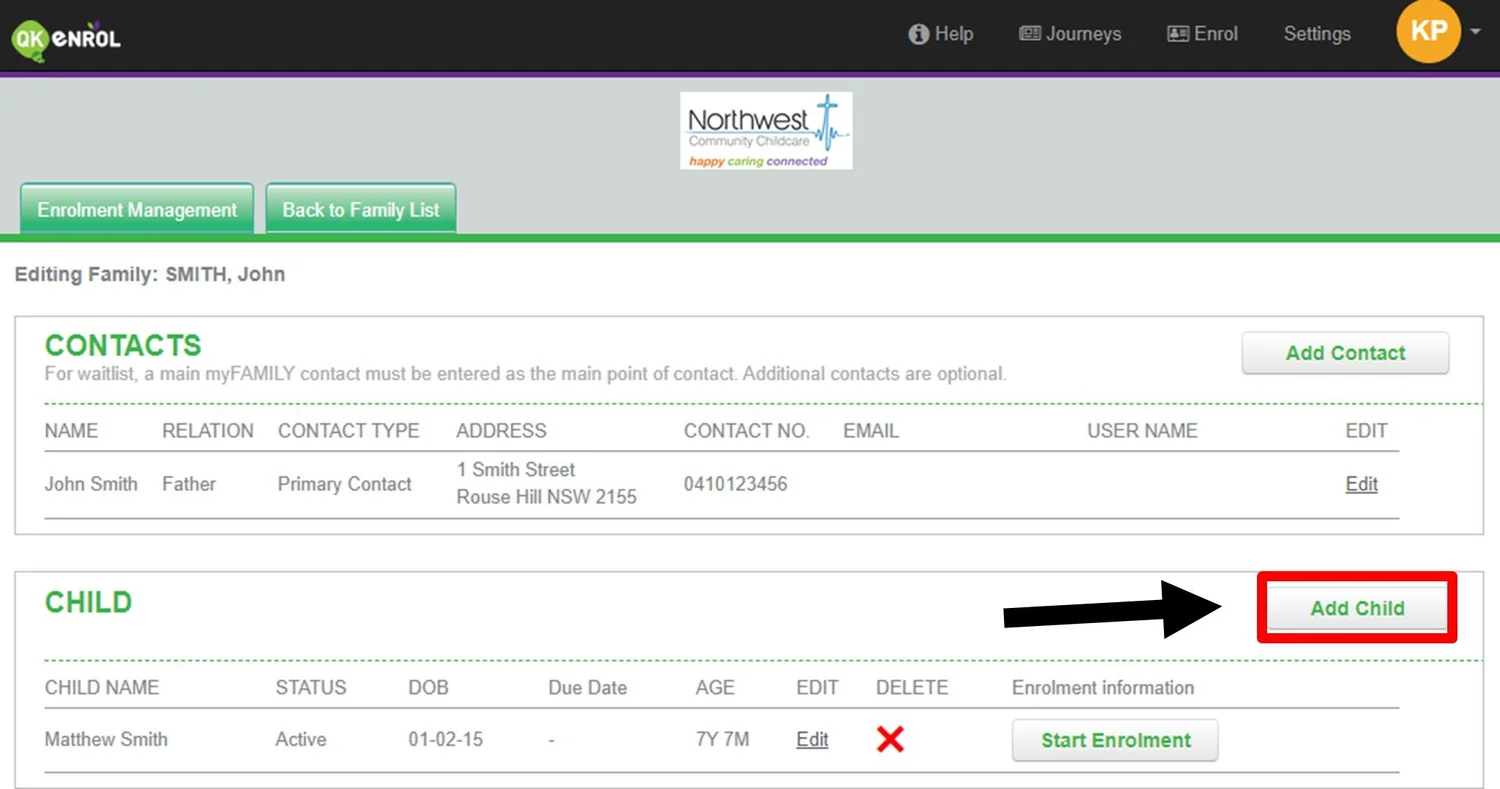
Step 2 – Add Child
- Once logged into the portal, you will see your dashboard.
- Click on Add Child.
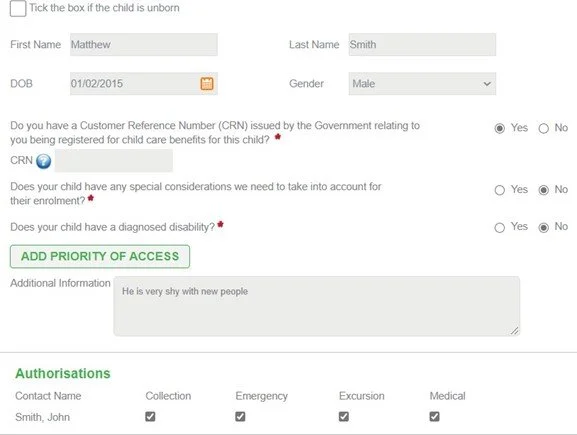
Step 3 – Add Child Details
- Complete your child’s details, along with your child’s CRN (Applicable for Child Care Subsidy) and authorisations.
- If you have another child to enrol, click on Add Child and repeat the process.
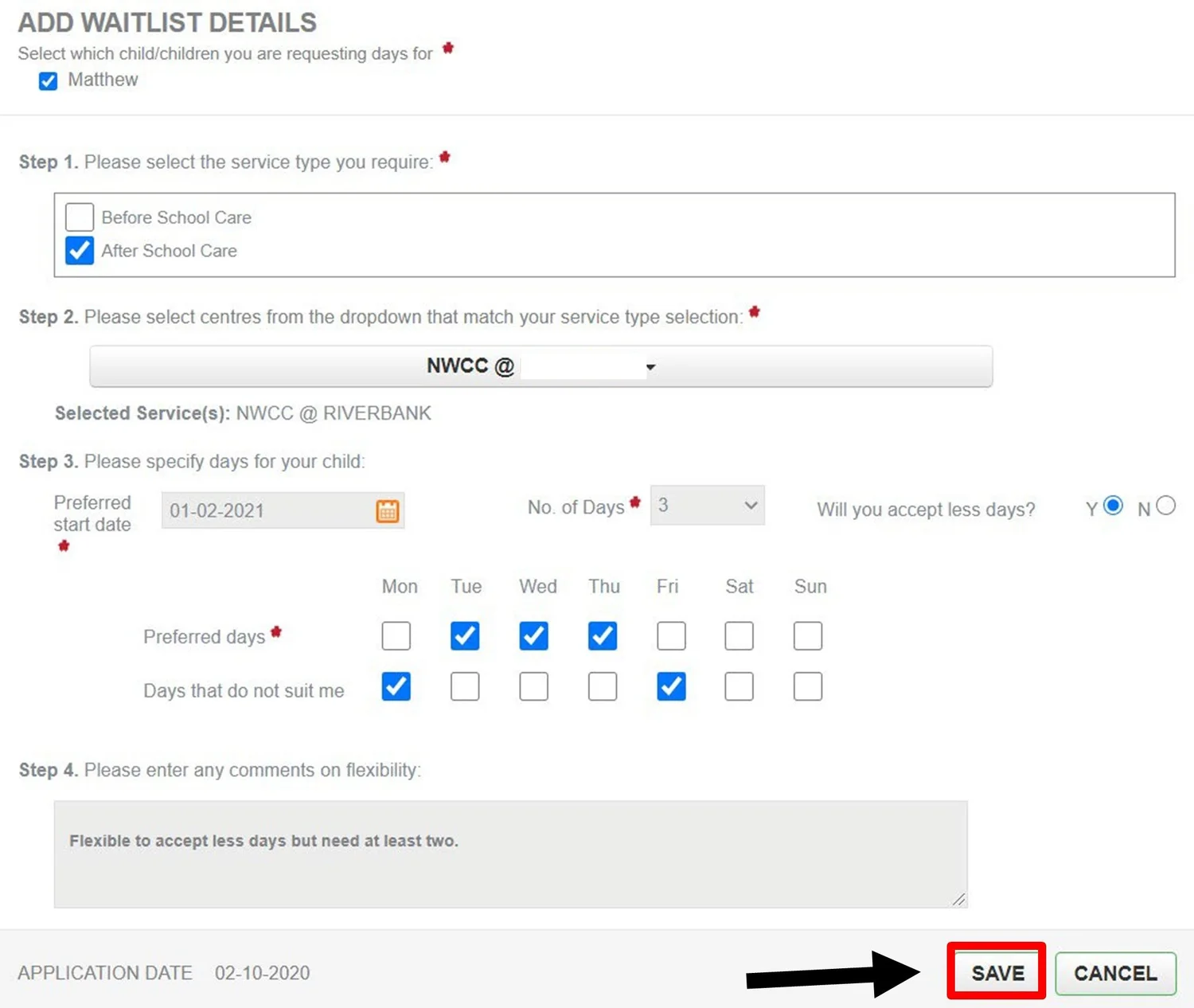
Step 4 – Request for Permanent Bookings
- Click New Request.
- Select your child’s name.
- Select the care type – Before or After School Care.
- Select the service name.
- Select your preferred starting date.
- Select number of days.
- Tick your preferred days.
- Click Save.
A member from the Bookings Team will review your enrolment form and waitlist request. Depending on availability you will be sent an offer closer to your preferred starting date.
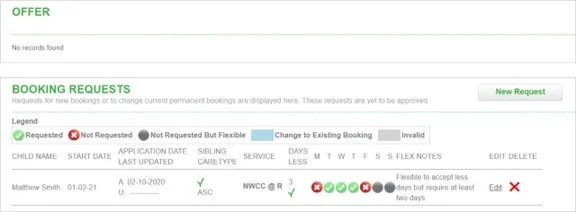
Step 5 – Complete an Enrolment Form
Click on Start Enrolment:

Services to enrol: Select which school your child is enrolled from the drop-down menu.
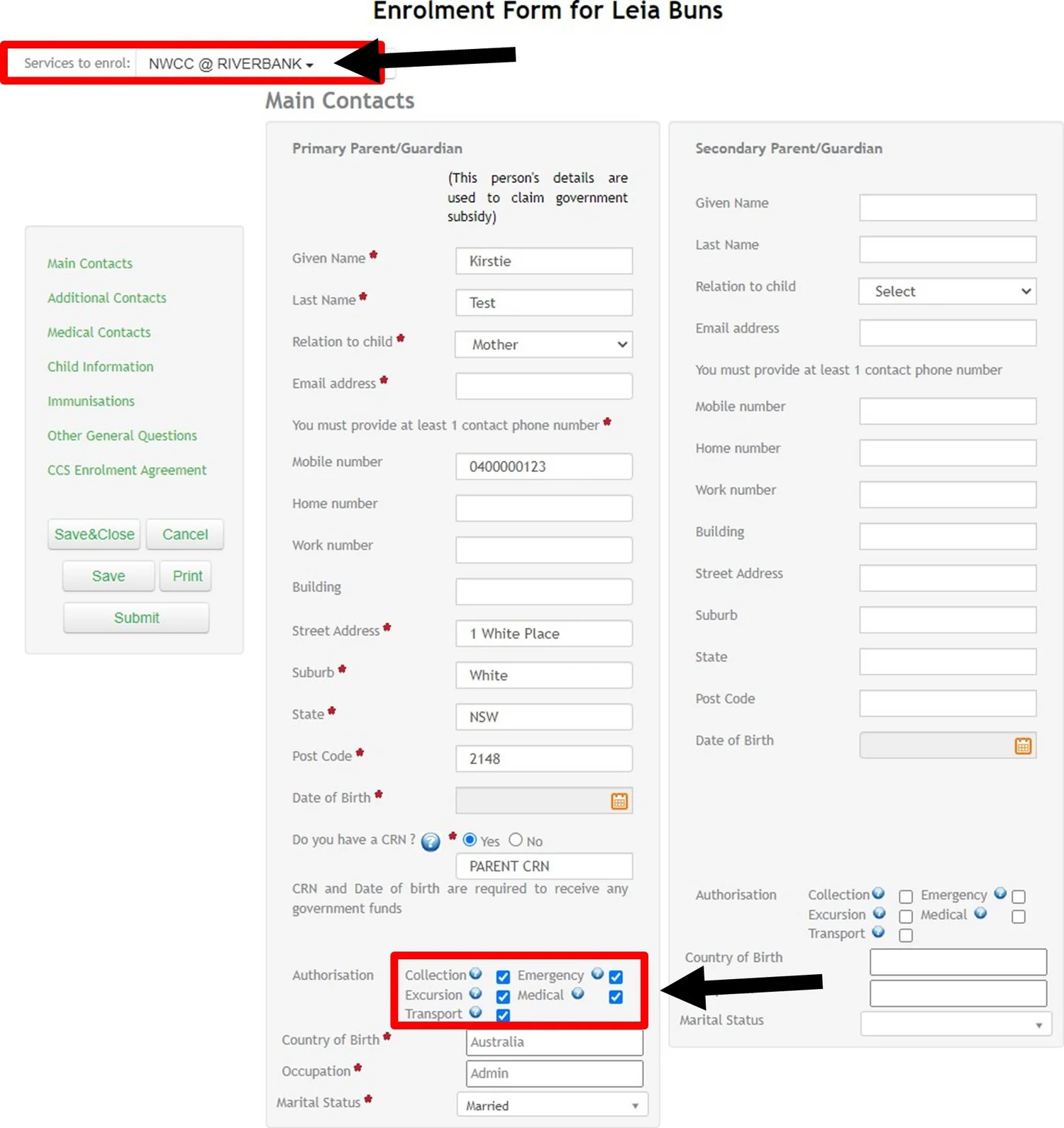
Tick authorisations, upload an immunisation history statement and complete questions that have red asterisks.
Step 6 – Sign Enrolment and Submit
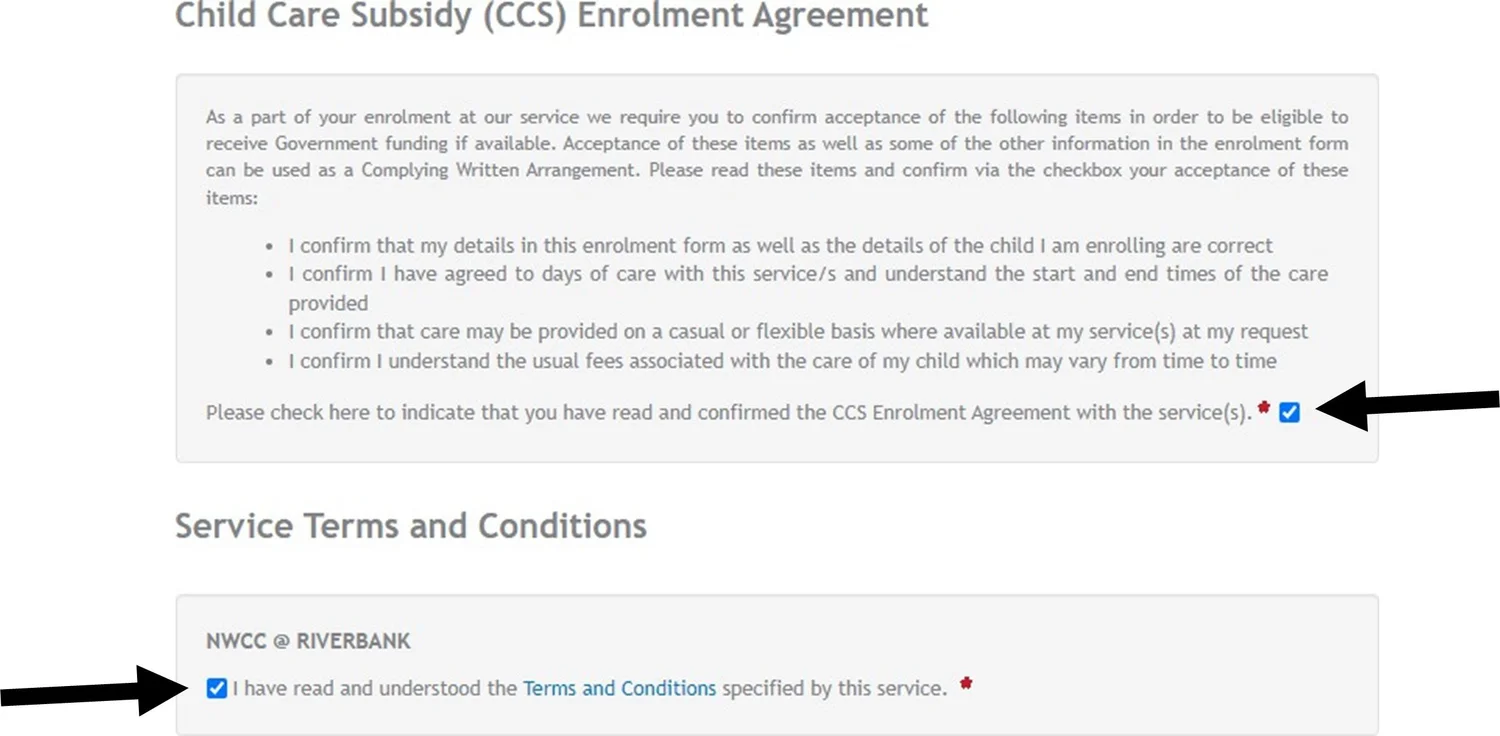
- Tick, I agree to the CCS enrolment agreement and our terms and conditions.
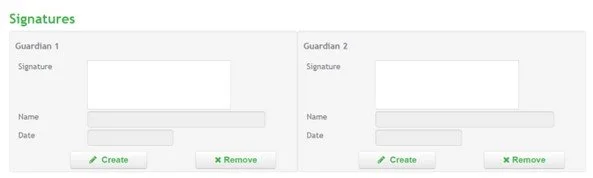
- We require all listed Parent/Guardians to sign the enrolment form. Click on create and sign the enrolment.
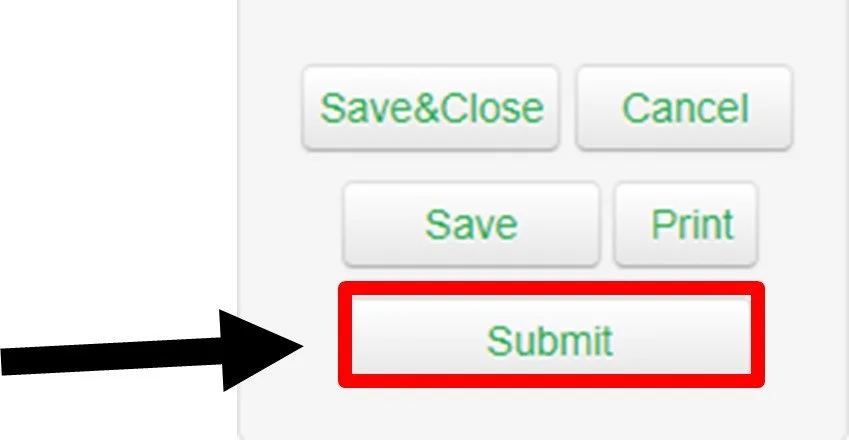
To complete the enrolment form, click on Submit.
Medical Conditions
If your child has a diagnosed healthcare need, allergy, or medical condition, key procedures and strategies must be in place prior to the child commencing at the service to ensure their individual health, safety, and wellbeing are met.
Prior to your child commencing care you will need to provide the following:
- A current Medical Management Plan completed by a registered Medical Practitioner or Assessment Report by a Paediatrician. This must include an authorised doctor’s signature or stamp.
- Any prescribed medication in original packaging with a pharmacy label is supplied to the Service Coordinator. Note: The medication must be the same brand listed on the plan, with no generic brand substitution and match the child’s name and dosage.
- Recent coloured photo of the child.
Important Notes
- Ensure that all contact numbers are 10 digits long and authorisations are all ticked.
- Include the area code for any home or work landline numbers. E.g. 0212345678
- We require AT LEAST 2 Additional Contacts that are different to Parent contacts above in the case of an emergency.
- MANDATORY: We require a copy of your child’s current immunisation uploaded on their enrolment form.
- Your child’s enrolment will be reviewed by a member of the Bookings Team. If there is any information missing, you will be contacted directly.
If you have any questions on how to complete the enrolment form or any enrolment enquiries, please contact our team.
Phone: 02 8678 0279
Email: bookings@nwcc.com.au